
Happ - Proxy Utility
HappDevTools
4.4374.00 Reviews
- Version
- 3.26.3
- Installs
- 10.00M
- Age Rating
- Everyone
Screenshots


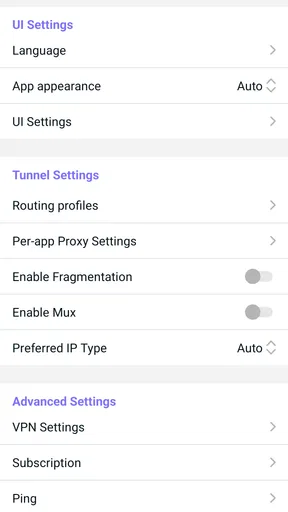
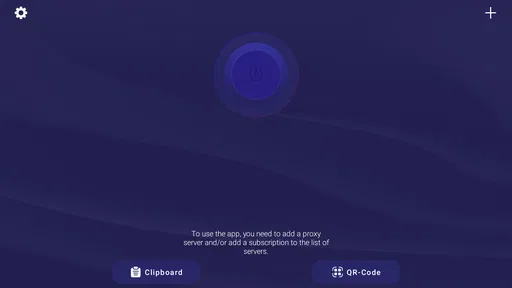
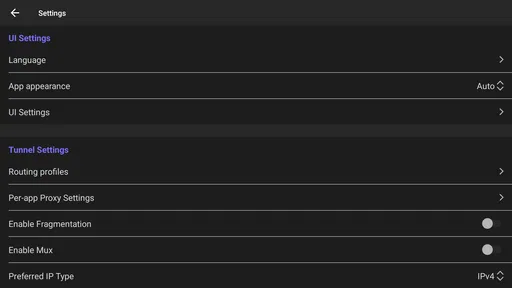
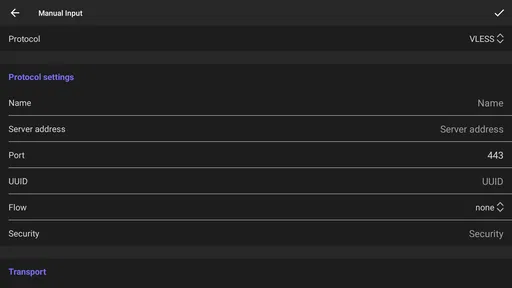
Our Review of Happ - Proxy Utility
 Analysis by Appyee
I approached Happ - Proxy Utility as a practical tools app rather than something to browse casually. Its purpose is centered on proxy use and security, so the important question is not whether it looks busy or offers the longest feature list. The real question is whether it makes a proxy-based setup easier to manage on an Android device without creating more work than it removes.
My overall impression is that Happ is aimed at people who already understand why they need a proxy utility, or who want a more advanced level of control than the usual network settings provide. It is free, rated for Everyone, and developed by HappDev. That combination makes it approachable, but the word “advanced” still matters: a beginner may need time to understand what each setting means before trusting it with everyday traffic.
How I judged Happ before recommending it
When I decide whether a proxy tool deserves a permanent place on my phone, I look at four things. First, I want to know whether it solves a real problem instead of merely adding another layer between the device and the internet. Second, I consider how much configuration it expects from me. Third, I look at how easily I can return to a normal connection when something goes wrong. Finally, I ask whether it suits my actual routine, not just a technical experiment.
Happ fits the Tools category because its value depends on utility rather than entertainment. The store summary presents it as an advanced security solution associated with Xray, while the short description is simply “Happ.” That leaves the app’s practical appeal in the details of using it: it is most relevant to users who need a proxy client and want a dedicated interface instead of repeatedly editing system network settings.
The app supports Android devices running version 5.0 or later, which gives it a broad technical reach. Its current version is 3.26.3, and the release date shown for the app is January 21, 2025. I would still treat compatibility as only the first checkpoint. A phone being able to install a proxy utility does not automatically mean every configuration will behave the same way on every network, so I would test it with a low-risk connection before relying on it for important work.
Popularity is also a useful, though imperfect, signal. Happ has passed ten million installs and holds an average rating of 4.3 from around forty-eight thousand ratings, with hundreds of written reviews. That suggests it has reached well beyond a tiny technical niche. I would read that as evidence that the app is worth investigating, not as proof that it will be effortless for every user. Proxy behavior depends heavily on the server, network, and configuration, so a good app can still produce a disappointing experience when the setup is unsuitable.
The everyday problem it can solve
A realistic use case is a person who moves between home Wi-Fi, mobile data, and public networks and wants a consistent proxy setup rather than manually changing connection details each time. With a dedicated utility, the intended workflow is easier to understand: open the app, choose the configuration you need, connect, and return to the app when you want to stop or change it.
That workflow becomes especially useful when a user maintains more than one connection profile for different situations. I am not treating that as a promise of a particular built-in feature; rather, it is the kind of organization a proxy utility is expected to support through its configuration approach. The practical advantage is that you can keep your network decisions in one place instead of mixing them with unrelated Android settings.
There is also a security-minded scenario. If I am using an unfamiliar network and have a trusted proxy arrangement prepared, a specialized client gives me a clearer place to manage that connection than a collection of notes and manual settings. The important caution is that a proxy is not automatically the same thing as complete privacy or anonymity. I would never use Happ as a reason to ignore the trustworthiness of the proxy provider, the websites I visit, or the security of my accounts.
Where Happ feels stronger than ordinary alternatives
The clearest strength is focus. A normal Android settings screen is designed for broad device management, not for people who need to work with an advanced proxy utility. Happ gives this task its own space, which can make troubleshooting less confusing. If a connection fails, I know where to look first instead of wondering whether the issue is buried among unrelated Wi-Fi or mobile settings.
Its connection with Xray is another reason experienced users may prefer it over a basic proxy switcher. I would choose a tool in this area when I need more than a simple on-and-off control and already have a compatible setup in mind. The trade-off is obvious: advanced capability usually brings more concepts to learn. Happ is more attractive when control matters; a minimalist utility may be better when the only goal is to toggle one uncomplicated connection.
A useful habit is to change one setting at a time. When a proxy app offers advanced configuration, changing several fields together makes it difficult to identify the cause of a failure. I would first import or enter the intended configuration, test a single website or service, and only then adjust anything. This sounds basic, but it prevents the common mistake of blaming the app for an error introduced during setup.
Another practical advantage is separation between network identity and individual apps’ own settings. Instead of asking every application to manage its connection independently, I can use a central utility as the place where the proxy decision is made. That can reduce duplicated configuration, although it also means a mistake in the central setup may affect more of the phone at once. I see that as a reason to keep a quick way back to the ordinary connection, not as a reason to avoid the app.
What the learning curve feels like
Happ is not the kind of app I would recommend blindly to someone who has never heard of a proxy, Xray, or connection profile. The installation itself may be simple, but understanding what to enter and how to judge a successful connection is a separate task. A user can easily mistake “the app opened” for “the proxy is working correctly,” and those are not the same thing.
My advice for a first setup would be to prepare the connection details before opening the app. Keep the relevant information together, avoid copying values from random sources, and test after every meaningful change. If the app asks Android for permission to create or manage a network tunnel, I would read that prompt carefully rather than approving it automatically. The exact prompt can vary by device and Android version, but the principle is constant: know what connection behavior you are authorizing.
I would also avoid testing for the first time while doing something urgent, such as joining a work meeting or accessing an account needed immediately. Proxy problems can appear as slow loading, failed sign-ins, services that behave differently, or a connection that seems active while particular traffic does not work as expected. A calm test on ordinary browsing is a better way to learn the app.
Where another type of app may fit better
Happ is not automatically the best choice for every network need. If you want a conventional VPN service with a provider-managed account, a polished server-selection experience, and support aimed at nontechnical users, a mainstream VPN app may feel more comfortable. That category usually emphasizes convenience and guided setup, while Happ is more appealing when the user already has a proxy arrangement or wants to work with a more specialized stack.
A basic proxy switcher may also be a better fit for someone who changes one simple setting occasionally. In that situation, Happ’s advanced orientation could feel like unnecessary complexity. The right decision depends on whether the extra control solves a problem you actually have. I would not install it merely because it sounds more secure; I would install it because I need a dedicated utility for a proxy workflow that simpler tools cannot handle cleanly.
There is a second trade-off involving troubleshooting. With a provider-managed VPN, the company often gives you a single support path when a server fails. With a proxy utility, responsibility is more distributed: the app, the configuration, the remote endpoint, the current network, and the destination service can all be involved. Happ may be working correctly even when the chosen connection is not. That flexibility is valuable to technical users, but it can be frustrating if you expect one tap to solve every connection problem.
For privacy-sensitive use, I would compare the trust model rather than relying on labels. Happ can provide a client for a proxy setup, but it does not make an unknown proxy operator trustworthy by itself. If you do not know who runs the endpoint or what information it may observe, the app cannot remove that concern. In that case, a transparent provider with a clear privacy approach may be a better choice, even if the provider’s app gives you less technical control.
The real cost of changing to Happ
Because Happ is free, the main cost is not a subscription. It is the time required to understand your setup and the possibility of interrupting your normal connection while testing. That cost is reasonable for someone who needs the utility, but it is not zero. I would set aside enough time to record the original network arrangement, test the proxy, and know how to disconnect it.
Before switching from another tool, I would write down the parts of the existing setup that matter: which connection is normally active, which services must work, and what you do when the proxy is unavailable. Do not assume that moving to a new client means copying everything exactly as it was. A configuration can be valid in one application and still need adjustment in another because the interface or supported method differs.
A particularly useful test is to compare more than one kind of activity. I would check an ordinary webpage, a sign-in service, and an app that matters to my daily routine. If only one category fails, that points toward a compatibility or routing issue rather than proving that the entire utility is broken. I would also test both Wi-Fi and mobile data if I expect to use both, since a setup that behaves well on one network may not behave identically on the other.
When finished, I would keep the old solution available until Happ has proved reliable for several normal sessions. That is not a criticism of Happ; it is sensible network hygiene. A proxy utility becomes valuable only when it works at the moment you need it, and the safest migration is gradual rather than an immediate all-or-nothing replacement.
Small practices that make the app easier to live with
My first tip is to treat configurations like tools with different jobs, not like a pile of mysterious entries. Give yourself a simple naming convention based on purpose or location, and remove entries you no longer trust or understand. Clear organization matters more in a technical utility because a wrong selection can look like a random network failure.
My second tip is to test after reconnecting to a new network. A connection that worked at home should not be assumed to work on public Wi-Fi or mobile data. If the app appears connected but pages do not load, disconnect first, confirm that normal internet access works, and then reconnect. This separates a general network outage from a proxy configuration problem.
My third tip is to use the least complicated setup that meets your need. The fact that Happ is designed for advanced security and Xray-related use does not mean every available option should be changed. Extra control is useful only when you understand what it changes. For many users, restraint will produce a more dependable result than constant experimentation.
My fourth tip is to judge success by the services you actually use, not by a single status indicator. A connected label can tell you that the utility has established something, but it cannot replace real-world testing. If your goal is reliable browsing, check browsing. If your goal is access to a particular work service, test that service. This keeps the review of your setup grounded in outcomes rather than appearances.
Who should install it, and who should skip it
I would recommend Happ to Android users who already have a reason to use a proxy, want a dedicated tool instead of manual system changes, and are comfortable learning a few technical concepts. It is also a sensible option for someone who values control over a one-size-fits-all connection experience. The free price removes a financial barrier, while the Everyone rating makes it broadly accessible from an age-classification perspective.
I would suggest skipping it if you are looking for an instant privacy button with no setup decisions. It may also be the wrong choice if you expect the app itself to supply a trustworthy connection, because a client and a proxy provider are different parts of the arrangement. Users who dislike troubleshooting or who need guaranteed support from one company may be happier with a conventional VPN service.
Families should also think about clarity. Although the app is rated Everyone, that does not mean every configuration is suitable for every household situation. I would explain to less technical users what the proxy does, when it is active, and how to turn it off. The age rating addresses general content suitability; it does not replace understanding network behavior.
My recommendation after using it as a decision tool
Happ - Proxy Utility makes the most sense when you see it as a focused client for an advanced proxy workflow, not as a universal replacement for every VPN or network app. Its strong point is giving technical users a dedicated place to manage this kind of connection. Its weak point is the same thing viewed from another angle: the app expects more understanding than a guided consumer service.
The large install base and 4.3 average rating make it a credible option to try, but I would still begin with a controlled test rather than moving all important traffic immediately. Install it, prepare a known configuration, test the services you rely on, and keep a simple fallback plan. If that process feels reasonable to you, Happ is likely worth keeping.
My final recommendation is therefore conditional but positive. Choose Happ if you want control over a proxy setup and are willing to learn the connection you are managing. Choose a provider-led VPN or a simpler switcher if convenience, guided support, or minimal configuration matters more than flexibility. For the right Android user, Happ is a useful and capable tool; for everyone else, its advanced nature may be more work than the problem requires.
Verdict
Strengths of Happ - Proxy Utility
- Simple interface makes proxy setup easy for beginners.
- Supports multiple proxy configurations for different networks.
- Useful for testing apps and websites through alternative connections.
- Lightweight design should have minimal impact on device storage.
- Quickly switch proxy settings without changing system configurations.
Limitations of Happ - Proxy Utility
- Proxy performance depends heavily on the selected server.
- Some advanced networking features may require technical knowledge.
- A proxy does not provide the full privacy of a VPN.
- Incorrect settings can interrupt internet access until disabled.
- Free proxy sources may be unreliable or become unavailable.
Similar Picks in This Category
View All
Google LLC4.0

Gboard - the Google Keyboard
Google LLC4.5

Google Play services
Google LLC4.3

Google Play Store
Google LLC4.9

Files by Google
Google LLC4.5

SHAREit: Transfer, Share Files
Smart Media4U Technology Pte.Ltd.4.3
Frequently Asked Questions
What is Happ - Proxy Utility used for?
Happ - Proxy Utility is designed to help users manage and connect to proxy or tunneling configurations on a mobile device. It can be useful for organizing server profiles, routing traffic through a selected connection, and checking whether a particular configuration works. Its exact capabilities depend on the protocol, subscription, and server details you provide, so it is not a standalone source of internet access by itself.
Is Happ - Proxy Utility free to use?
The application may be available to download without an upfront charge, but using proxy services can involve separate costs. Some configurations are free, while others require a paid subscription or credentials from a provider. Before downloading or importing a profile, check the current store listing and the provider’s terms. Also review whether any premium features, advertisements, or in-app purchases apply to your version.
Does Happ - Proxy Utility include proxy servers?
Happ - Proxy Utility should generally be viewed as a client and management tool rather than a guaranteed proxy-server provider. You may need to add a configuration manually, import a subscription link, or enter server information supplied by a third party. Connection quality, availability, speed, and privacy therefore depend heavily on the service behind the profile you use, not only on the application itself.
Is Happ - Proxy Utility safe and private?
The app can provide a convenient way to route traffic through a selected configuration, but no proxy utility can automatically make every connection private or secure. Your traffic may be visible to the proxy operator, and unknown profiles can carry privacy risks. Use trusted providers, read the app’s permissions and privacy information, avoid suspicious subscription links, and remember that a proxy does not replace careful browsing or device security.
Why might Happ - Proxy Utility fail to connect or work slowly?
Connection problems can result from an expired subscription, incorrect server details, unsupported protocols, network restrictions, overloaded servers, or interference from another VPN or proxy application. Start by checking the imported profile and your internet connection, then try another server if one is available. Updating the app, restarting the connection, and reviewing provider instructions may also help, although some issues must be resolved by the server operator.
